Note: This article is for the newly re-designed module. This updated module is in the process of being rolled out and may only be available to some users.
Overview
The Valet Request feature allows you to submit, cancel, and view closed car requests through the BuildingLink Resident Portal and the BuildingLink Resident App.
Once submitted, your building staff will automatically receive these requests. Depending on your building's settings, you may also receive an email confirmation when staff accepts your car request. This feature may or may not be enabled for your property.
Note: Click on the images to enlarge them.
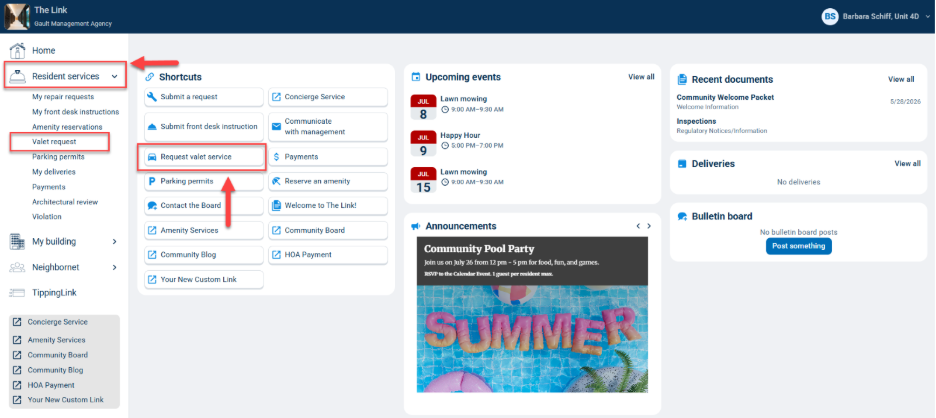
You can submit a Car Valet Request after logging into your account and clicking the Request valet service button on your homepage.
You can also go to Resident Services, choose Valet requests from the left-side navigation panel, and click Request valet.

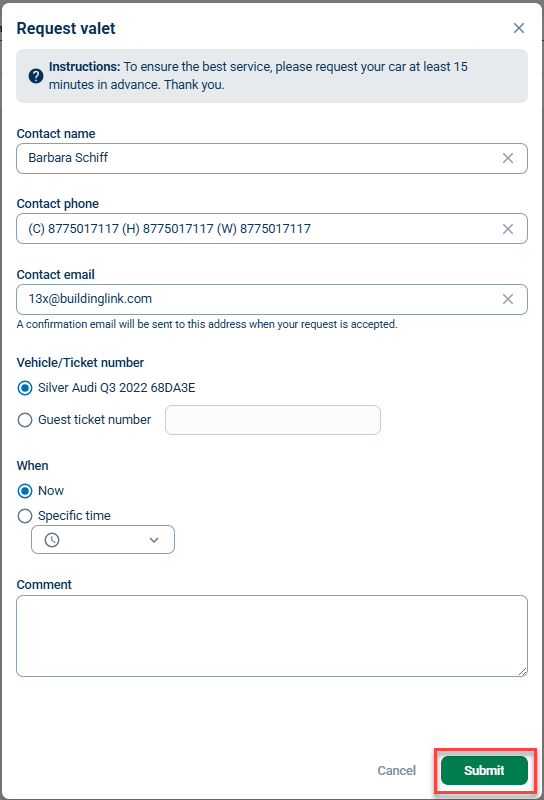
Next, you can select the vehicle you want and fill in any details for the request in the comments. Click Submit to complete the request.
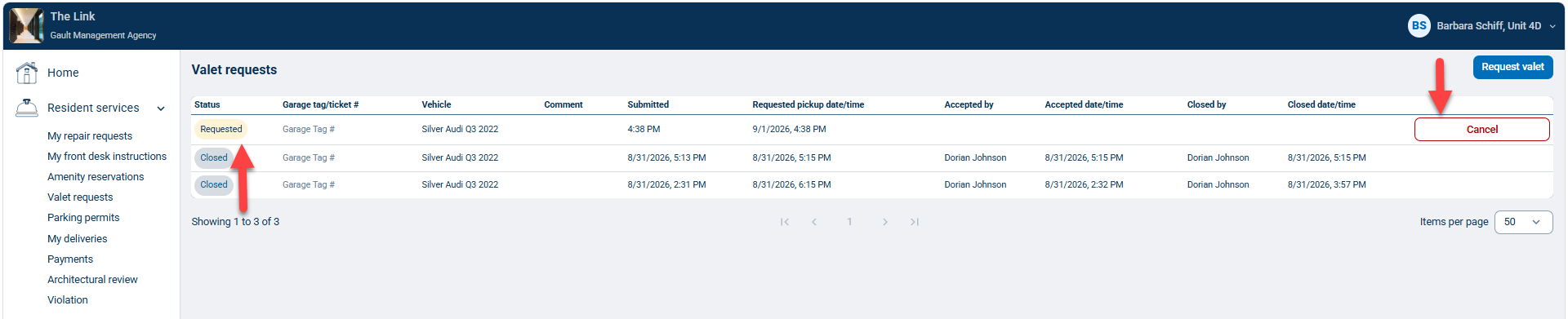
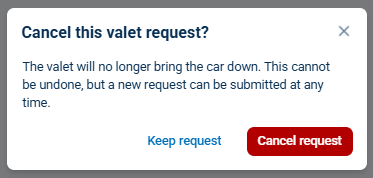
You can view any open requests and your request history on the Valet Requests page. You can also cancel a submitted request from here by clicking Cancel and, in the following window, click Cancel request.