

Note: This article is for a new product that is in the process of being rolled out and may only be available to some users.
Overview
TippingLink provides a quick, secure, and easy way for residents to send tips and personalized messages to property staff through the resident portal, resident app, or custom direct URL. Tips stay between the resident and tipped staff (unless your property uses a shared tip pool, ex.The Link Holiday Fund) and can be sent via credit card or bank transfer (ACH).
Resident tips appear instantly for staff in TippingLink. Transfers into TippingLink and out to staff bank accounts can take 1-3 business days to process, or funds pushed to a card typically land within minutes. Depending on your property's settings, this feature may or may not be enabled.
Note: Click on the images to enlarge them.
Table of Contents
Video Overview
Accessing TippingLink
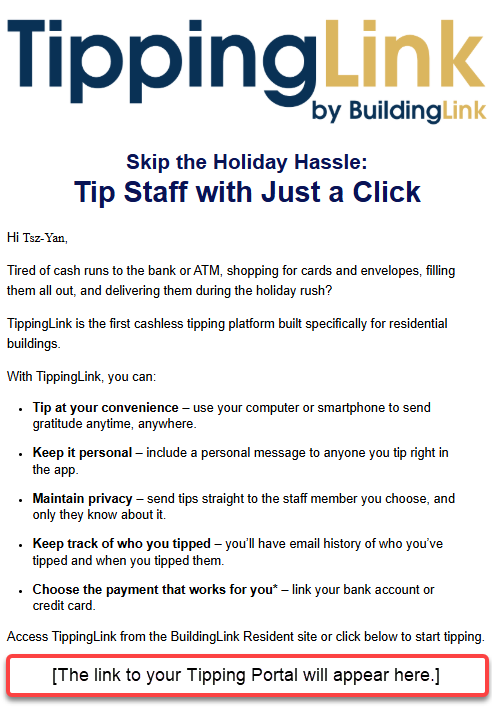
Your property management will add employees and invite residents to access TippingLink via a QR code invite or a direct URL using the following methods:
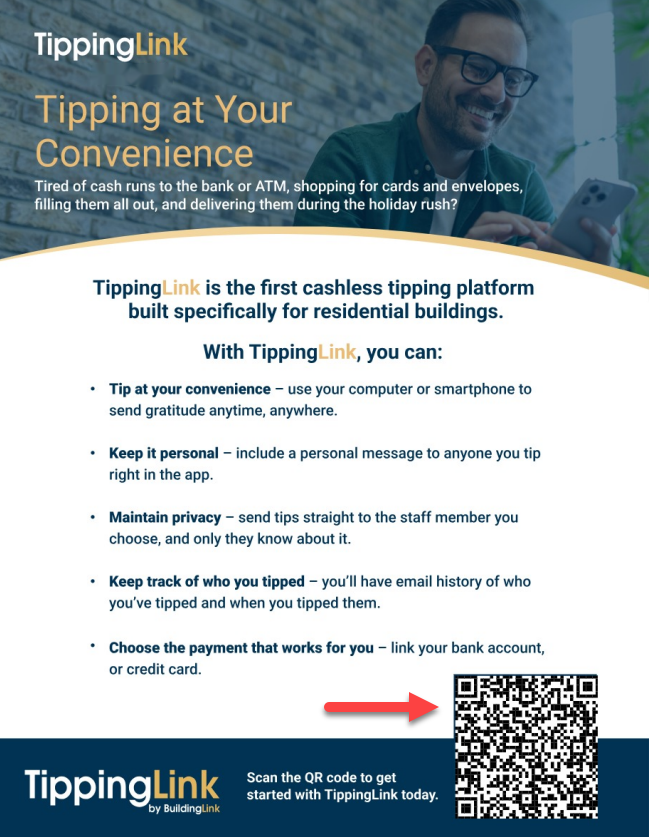
- Flyer
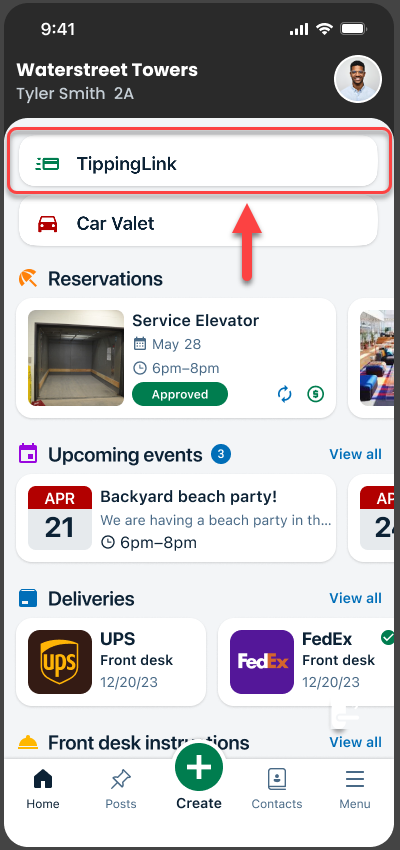
- Resident App
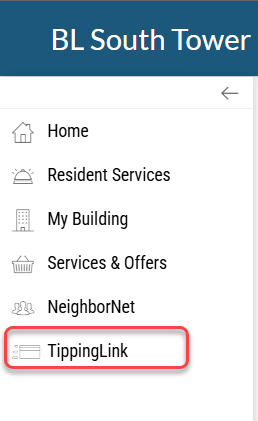
- Resident Portal
Scan the QR code or click the direct URL invitation to be directed to TippingLink.
Flyer
Invite Email
Resident App
Classic Resident Portal
Fleet Resident Portal
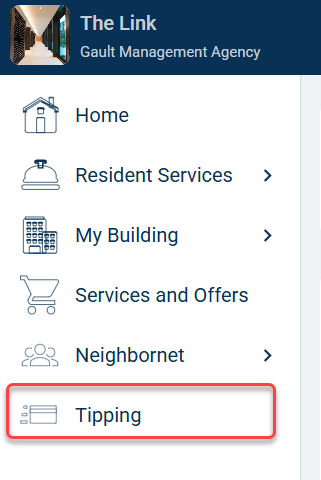
Sending Tips (Website)
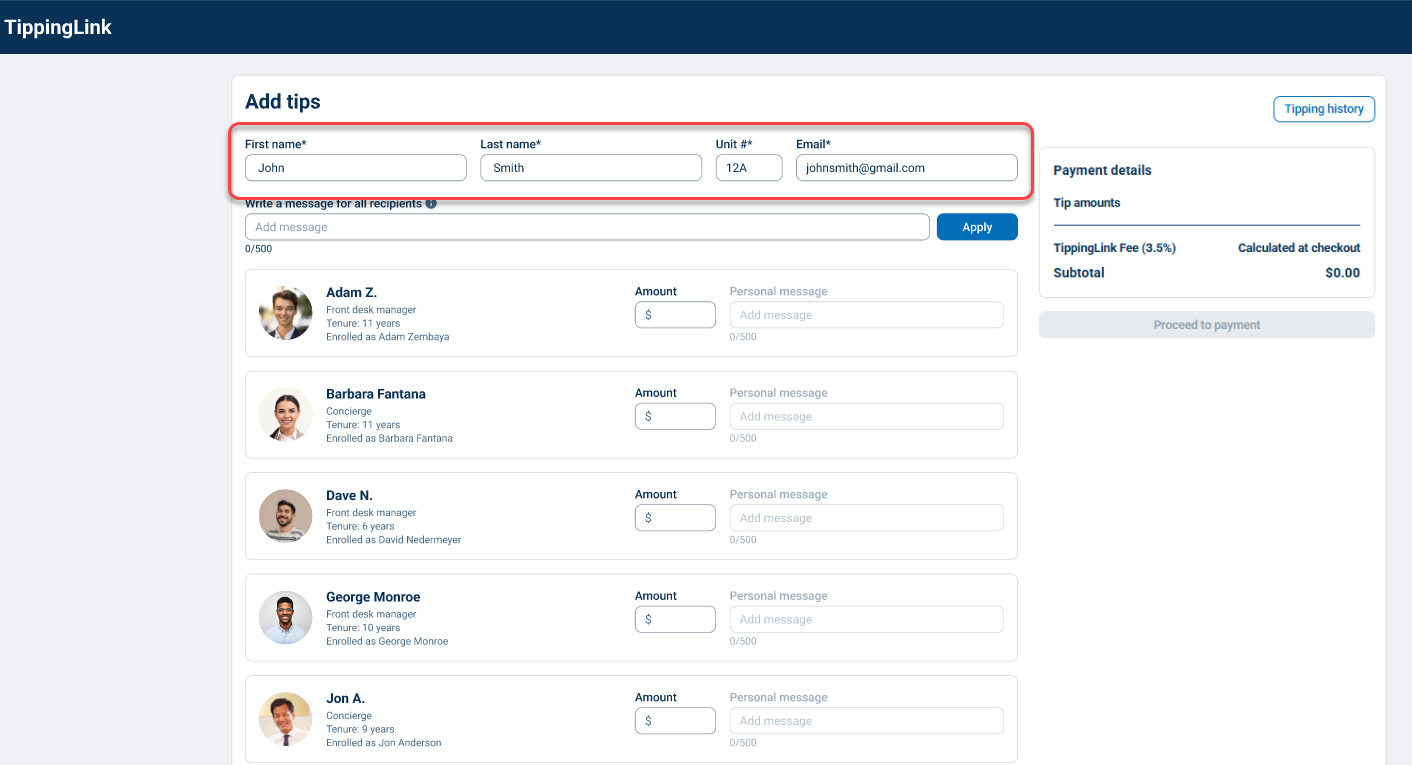
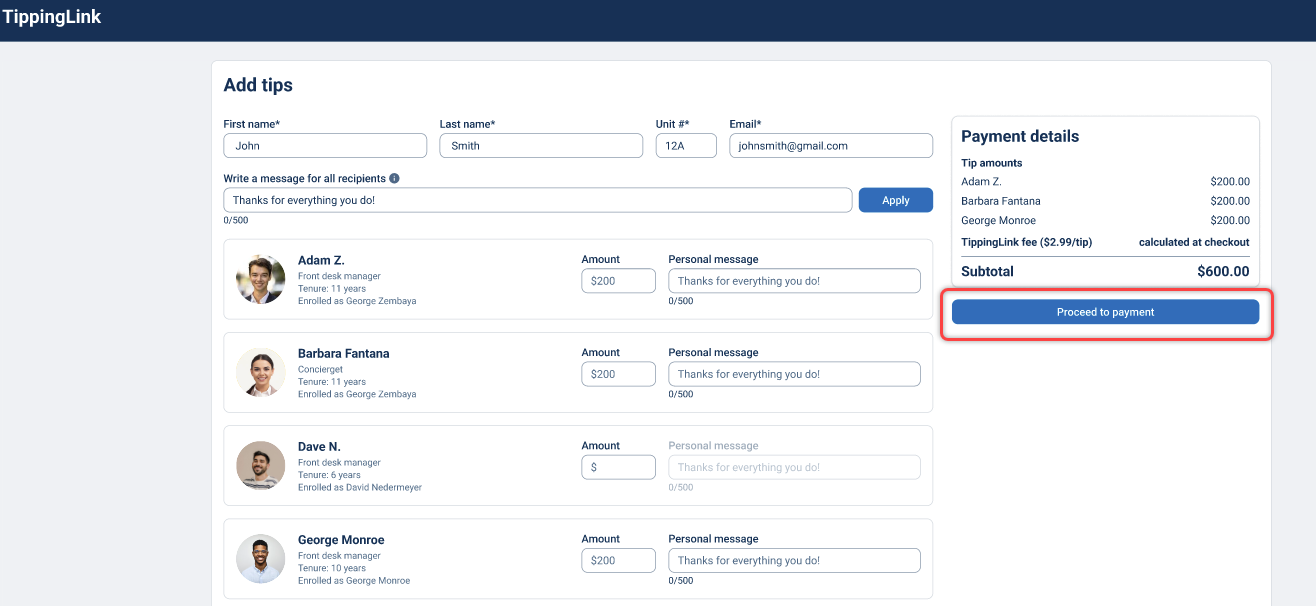
On the guest checkout page, fill in the following required fields:
- First name
- Last name
- Unit #
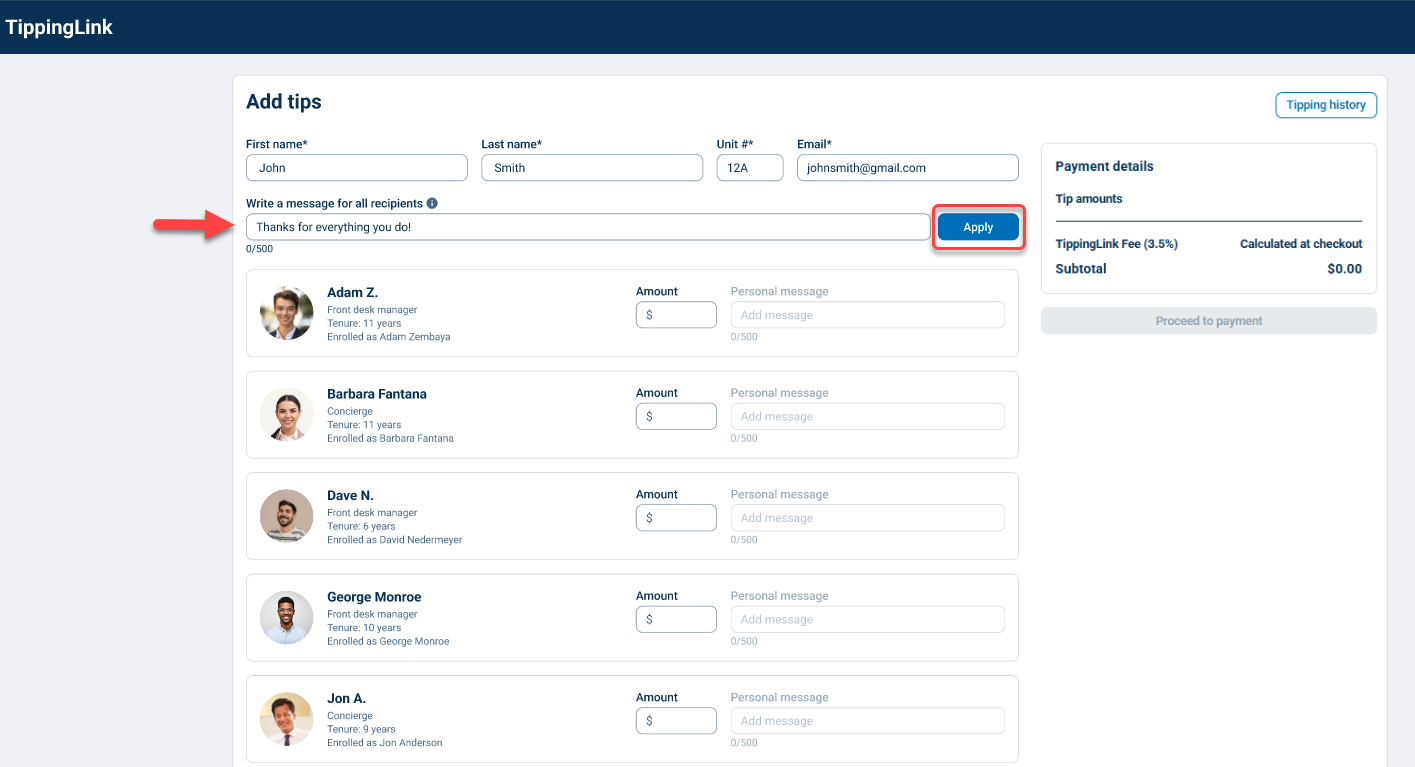
If you want to add a personal message for your recipients, you can include this in the Add message field under Write a message for all recipients. When finished adding tips, click Apply. You can also include a personalized message for each recipient in the Add message field under Personal message on their row after you enter their tip amount.
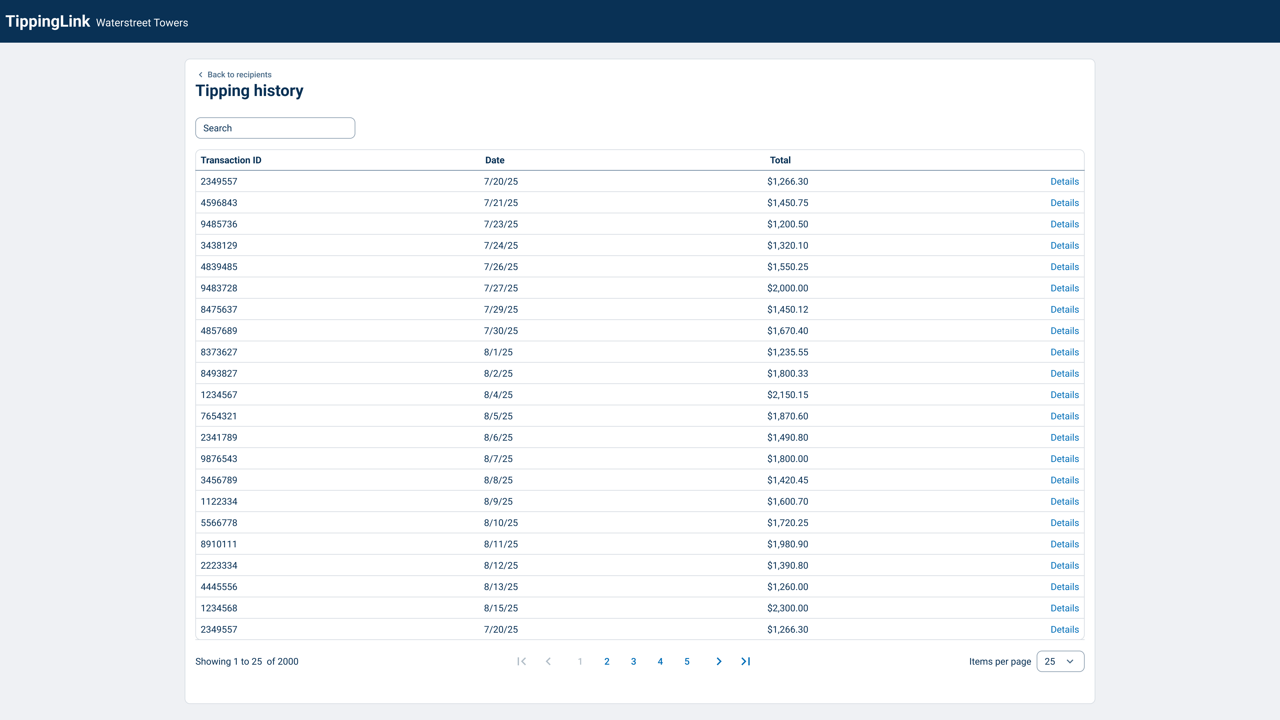
To add a tip amount, click on the text box below the Amount for the recipient, then type in the tip amount. You can also review prior tips by clicking Tipping history.
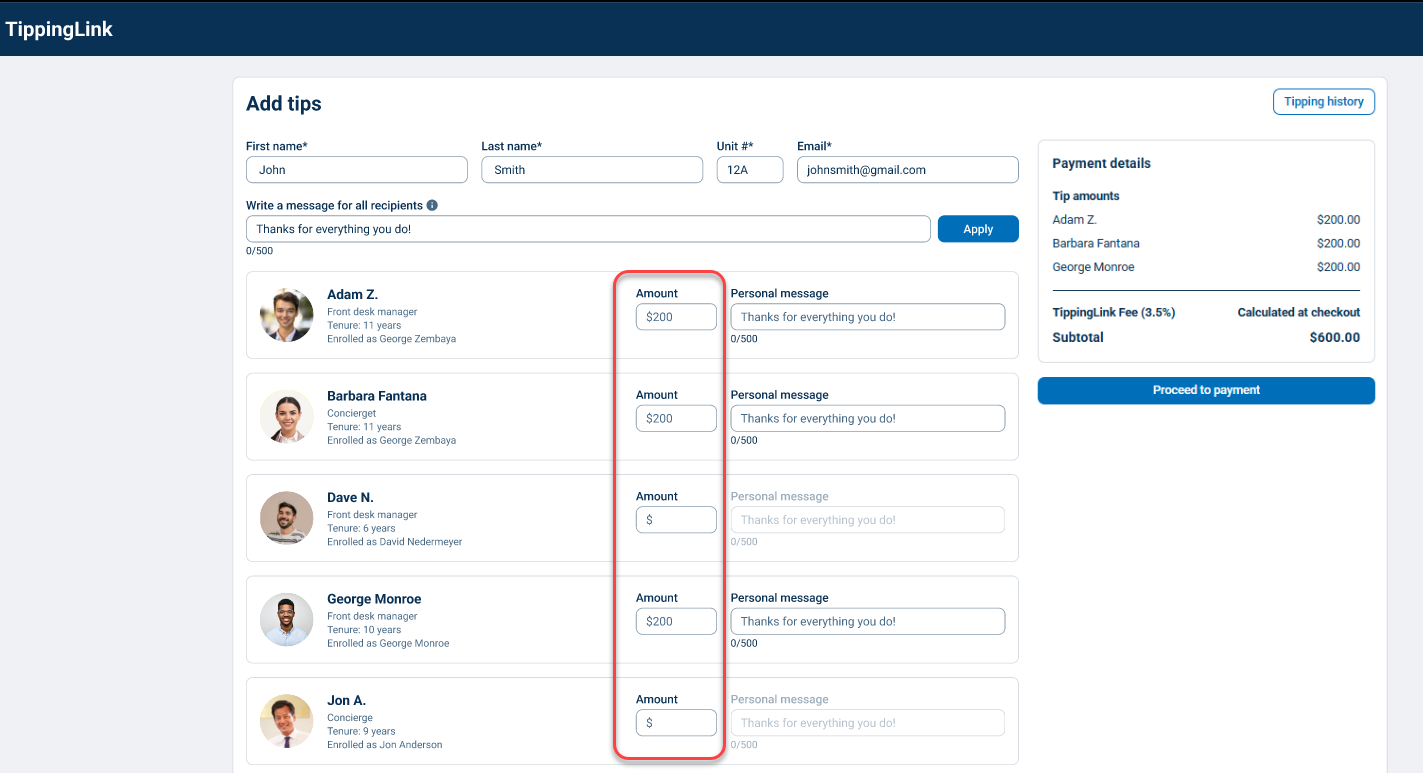
Click Proceed to payment when you've finished adding your tip amount.
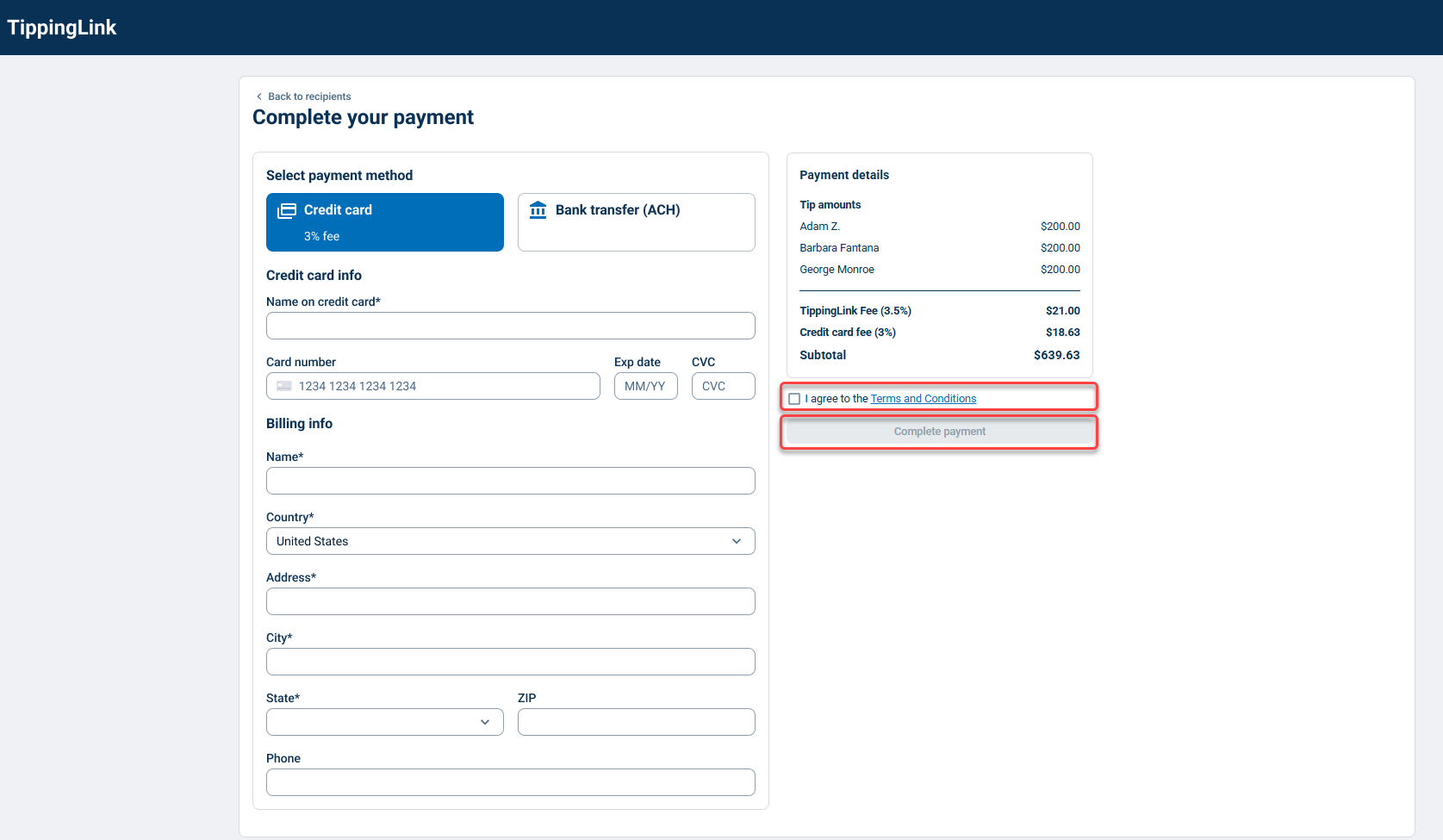
Note: Fees apply and are clearly displayed at checkout before payment.
- TippingLink Fee: 3.5% with a $1 minimum per transaction
- Credit Card Fee: 3%
Please also refer to the Terms and Conditions for more information.
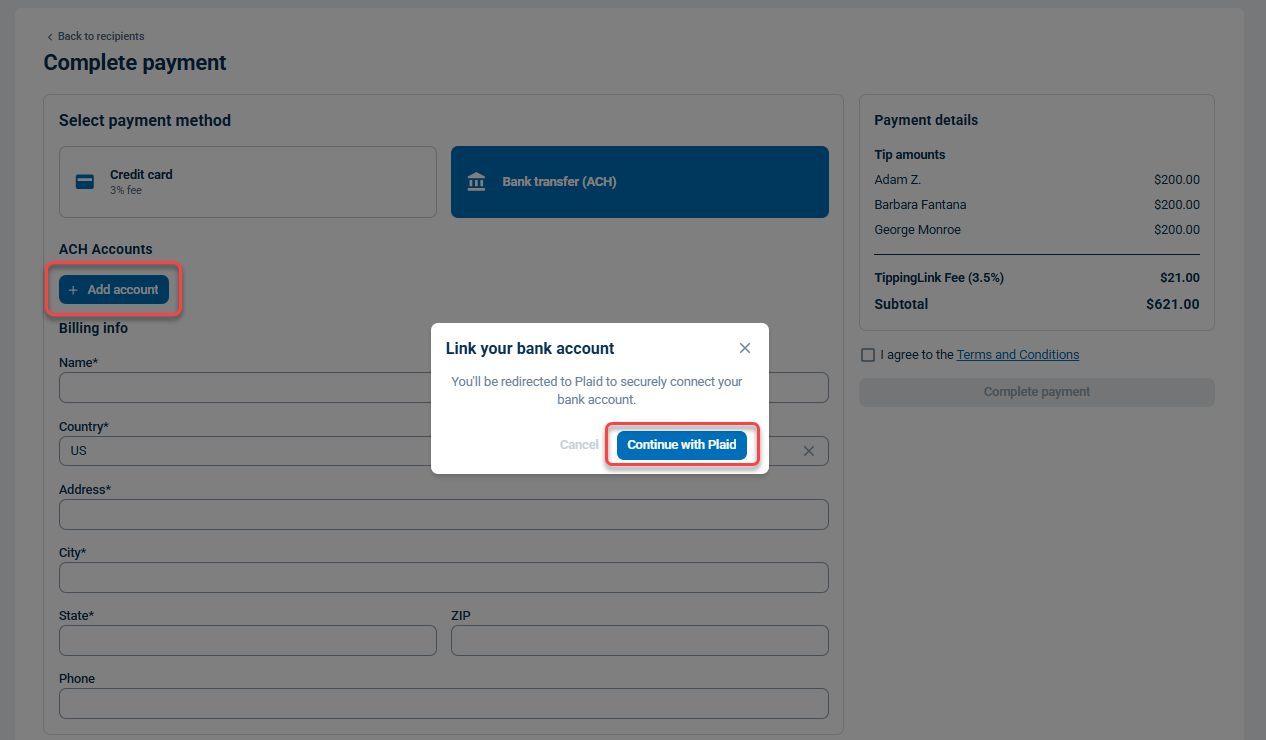
Select your preferred payment method, either by Credit card or Bank transfer (ACH). When paying with ACH, you will be prompted to link your bank account via Plaid.
Fill out your card or bank info and review the terms and conditions.
Click the checkbox for I agree to the terms and conditions.
To finalize your tip, click Complete payment.
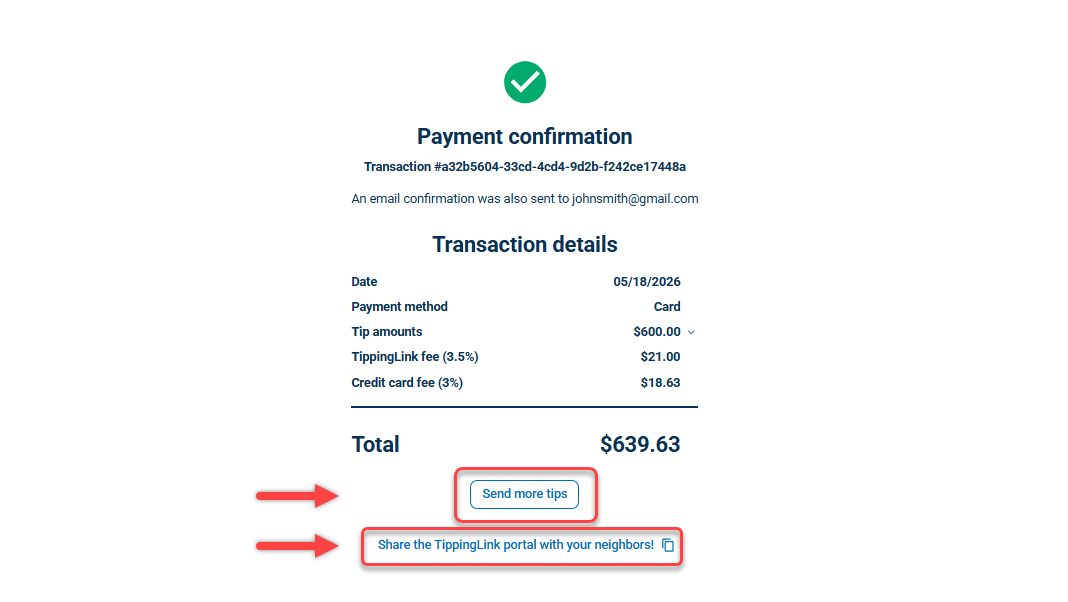
A payment confirmation will be displayed, and a copy of the transaction will be sent to your listed email.
If you have any more tips you would like to send, click Send more tips. To share the TippingLink portal, click Share the tipping portal with your neighbors!
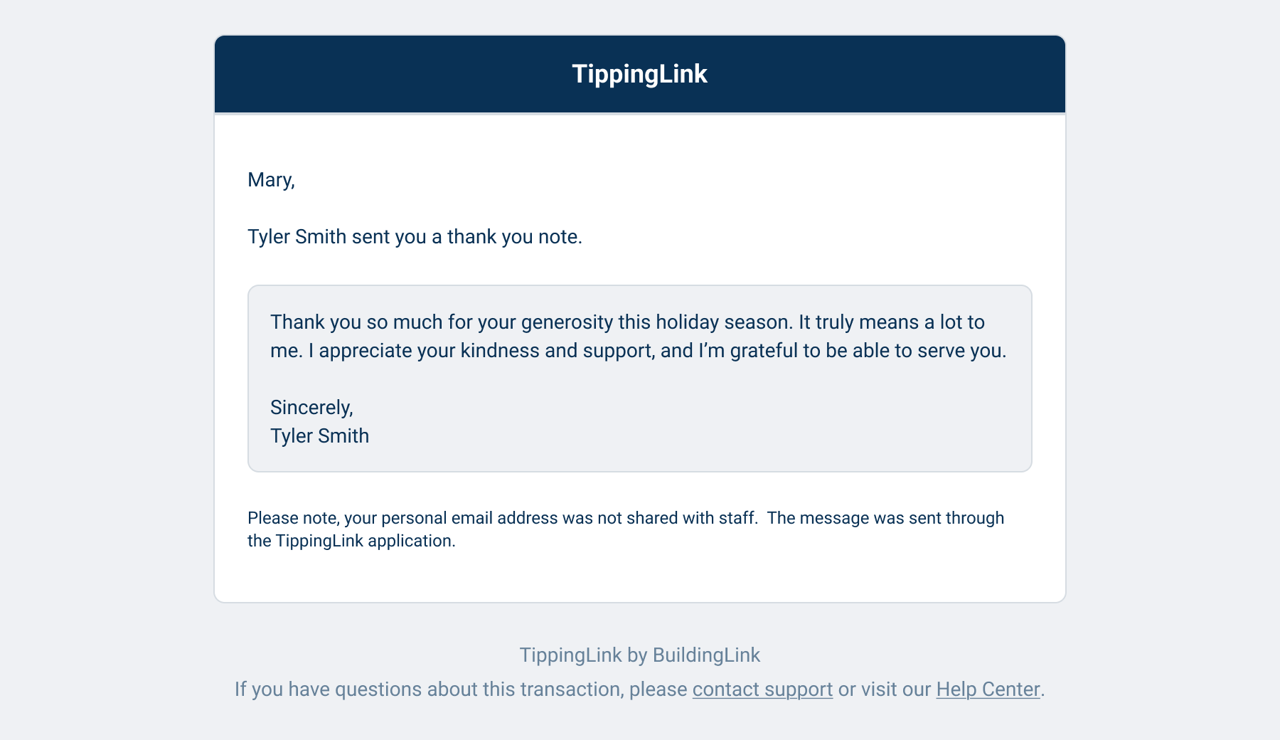
After your tip is received, you may also receive a note from staff.
Note: Personal email addresses are not shared with staff. Notes are sent through the TippingLink application.
Sending Tips (Resident App)
You can also send tips using the BuildingLink Resident App on any iOS or Android device. Watch the video below for more details.